Online Documentation

|
|
Inside Out Networks Online Documentation |
|
Main Menu |
|||||||||||||||||||||||||||
Installation Guide For: Installation Guide For: Installation Guide For: Installation Guide For: |
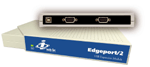
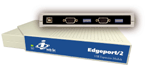
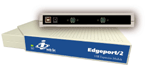
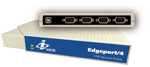
The Edgeport from Inside
Out Networks is an intelligent, stackable expansion module that connects to a PC or server
running Windows 95, 98, or NT 4.0 via the Universal Serial Bus (USB) port, providing
high-speed serial ports. For more detailed information as well as the latest manual and
technical updates, visit our website at www.ionetworks.com.
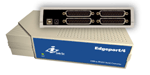
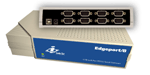
Edgeport features easy connectivity for modems, printers, video editing equipment and point-of-sale which utilize a standard RS-232 serial interface or the Edgeport Industrial Series for industrial control devices which utilize the RS-422/485 serial interface. By simply plugging in an Edgeport, you:
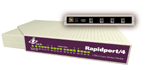
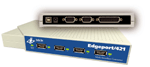
The Edgeport/421 and Edgeport/21 are multi-connector converters for mobile and high-end workstation users who need to attach multiple serial (RS-232) ports, a printer port, and USB peripherals to a single USB upstream connector. The Rapidport adds four high speed V.90, 56K modems via the Universal Serial Bus (USB) port, giving small office users a complete "remote access solution." The initial setup also provides for the addition of future units in a simple plug and play configuration. The Hubport, a self-powered 4 or 7 port Universal Serial Bus (USB) hub designed to provide a convenient and effective means of bringing USB connectivity to your PC, server, or laptop. Inside Out Networks delivers the USB technology needed to convert your PC into a powerful communications server providing instant connectivity to modems, terminal adapters, and other serial devices.
Edgeport, Rapidport, Hubport, and Step Up Kit are a trademarks of Inside Out Networks. All other products are trademarks or registered trademarks of their respective owners. Information in this documentation is subject to change without notice and does not represent a commitment on the part of Inside Out Networks Inc. Inside Out Networks provides this document "as is," without warranty of any kind, either expressed or implied, including, but not limited to, the particular purpose. Inside Out Networks may make improvements and/or changes to this documentation or to the product(s) and/or program(s) described in this documentation at any time. Inside Out Networks assumes no responsibility of any errors, technical inaccuracies, or typographical errors that may appear in this documentation, nor liability for any damages arising out of its use. Changes are made periodically to the information herein; these changes may be incorporated in new editions of the publication.
|